Stomatik
Features

Everything Stomatik does, one by one.

Screenshots come from the demo clinic, with fictitious patients and dentists. The team interface is in Romanian; patient pages are also in English and Hungarian.

01 / 16

Schedule

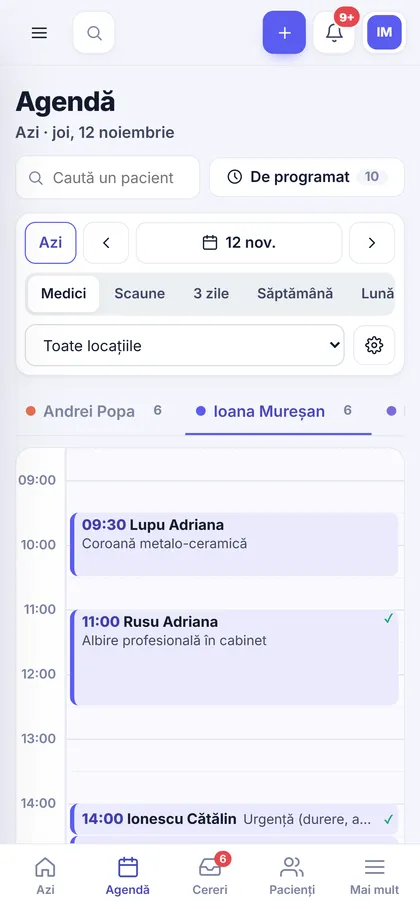
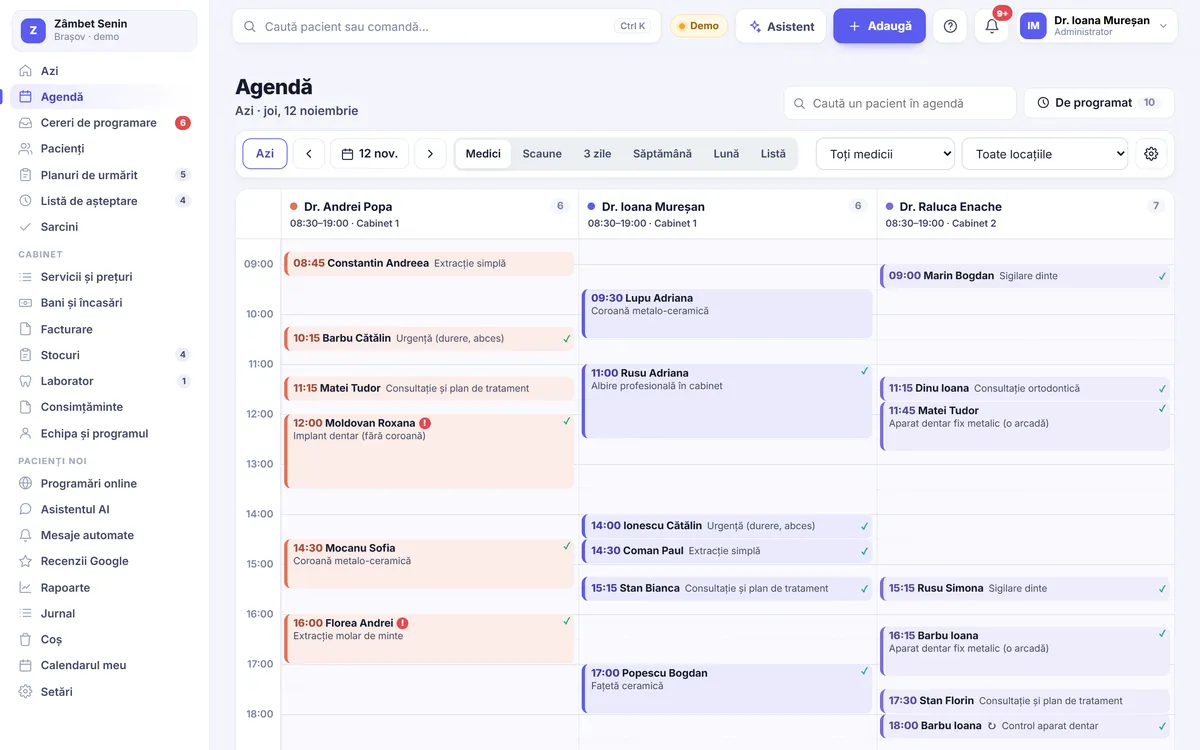
The schedule shows every dentist or every chair, across one or more locations. Appointments go into free slots and move by dragging, on the phone too.

  • Day, 3-day, Week and Month views
  • Create, stretch, move and copy by dragging; undo within 8 seconds
  • Each dentist’s daily hours, time off and chairs
  • Recurring appointments and a “To schedule” panel
  • Waiting list: when someone cancels, the app shows who can take the slot
  • Treatments from the plan go straight into an appointment
Schedule
Schedule
02 / 16

Patient chart

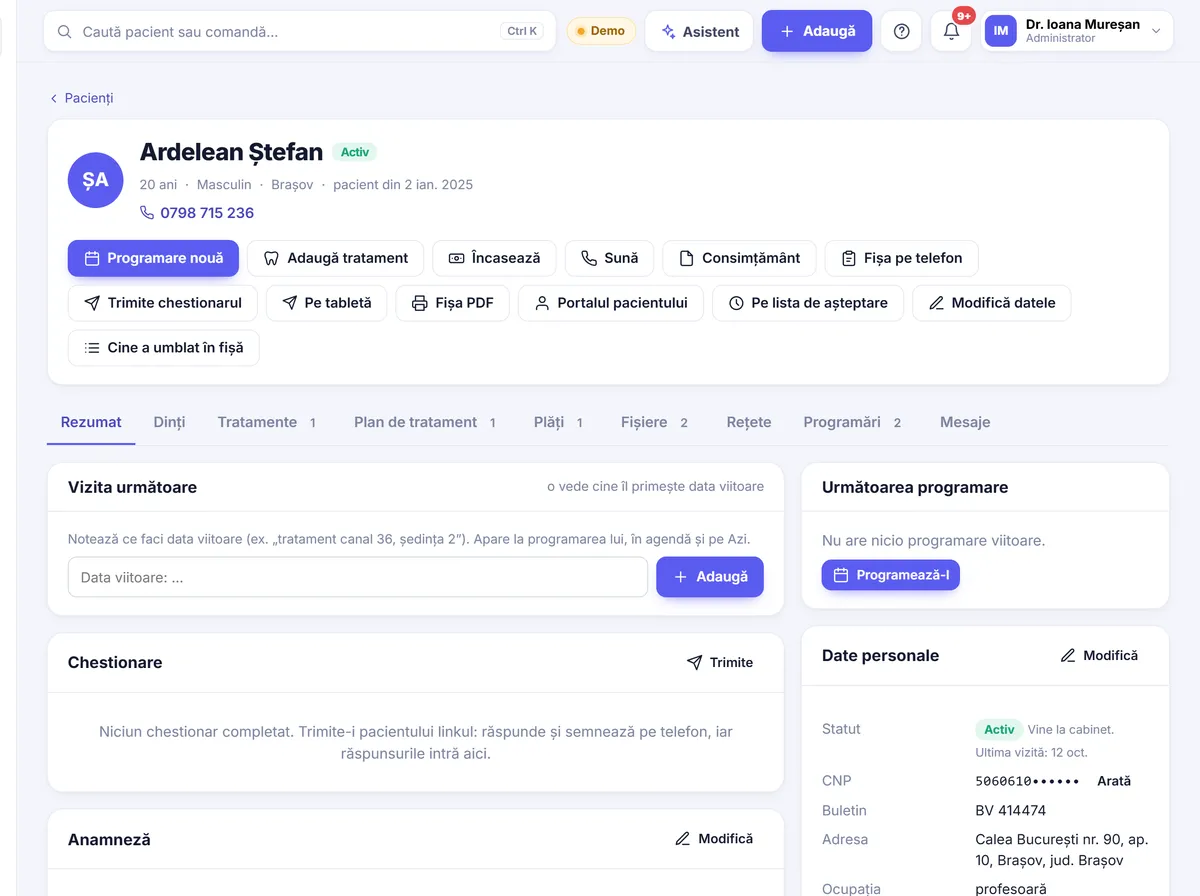
The chart holds everything about the patient: details, highlighted allergies, treatments, payments, files, prescriptions, appointments and messages. Patients can fill in their details and medical history on their own phone.

  • Patient-completed form on the phone, with GDPR consent and signature
  • Medical history questionnaires you can edit
  • Numbered prescriptions and recommendation templates
  • Printable chart as PDF
  • Dictated notes
  • Who opened or changed the chart, and when
Patient chart
03 / 16

2D and 3D dental chart

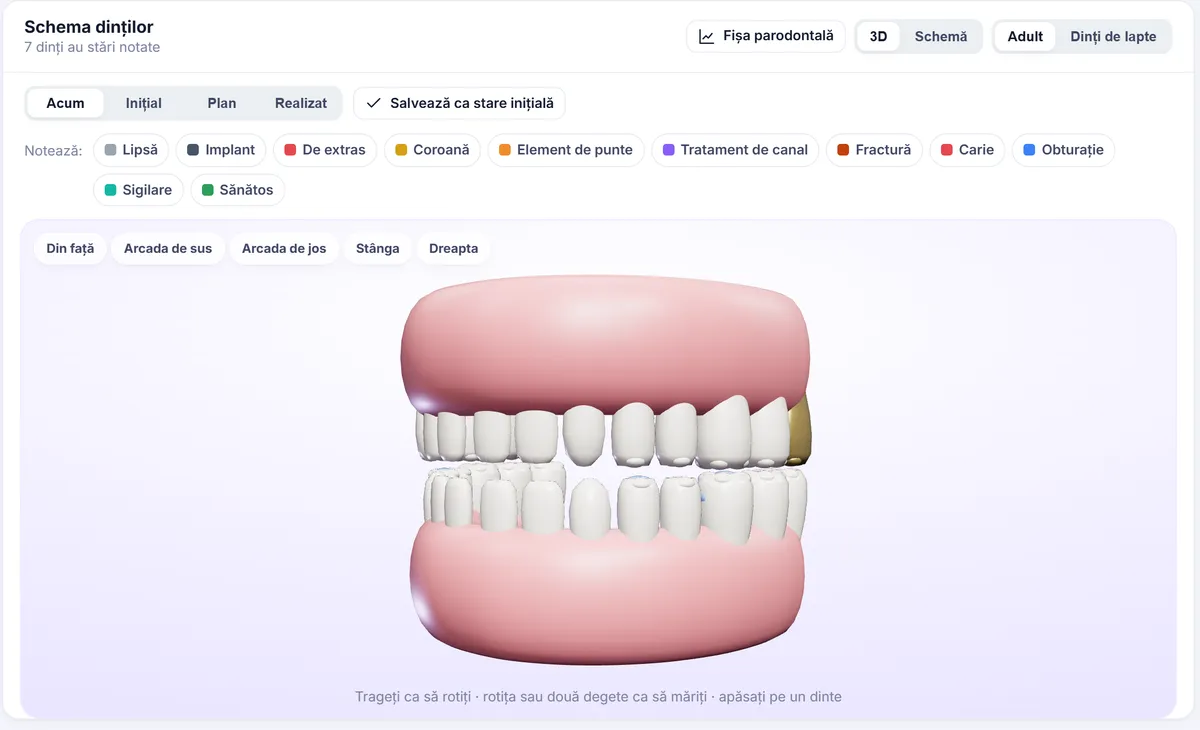
Each tooth is recorded by surface: caries, filling, crown, implant, root canal, missing. The chart has Initial, Plan and Completed views and shows in 2D or as a full 3D mouth.

  • 3D mouth: rotate, zoom, separate arches
  • Permanent and primary teeth
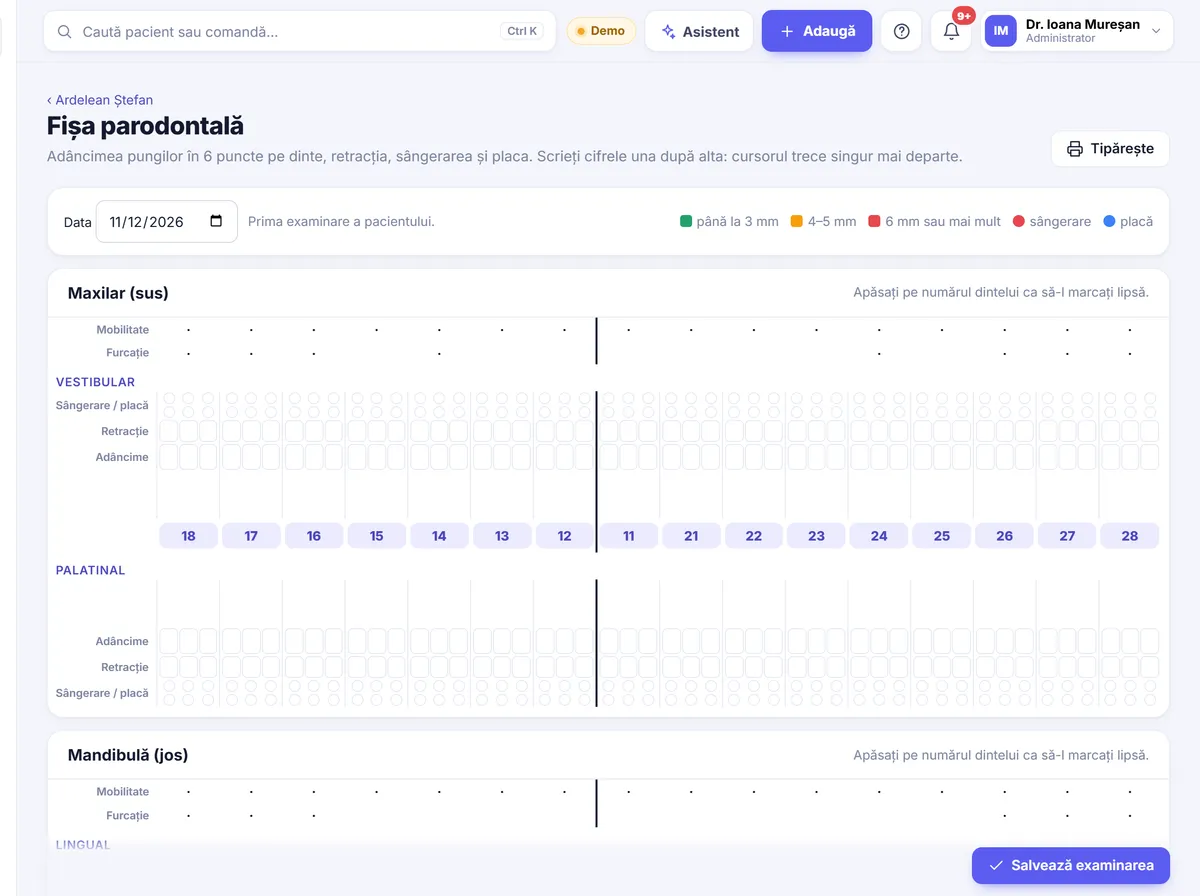
  • Periodontal chart: pockets, recession, bleeding, plaque
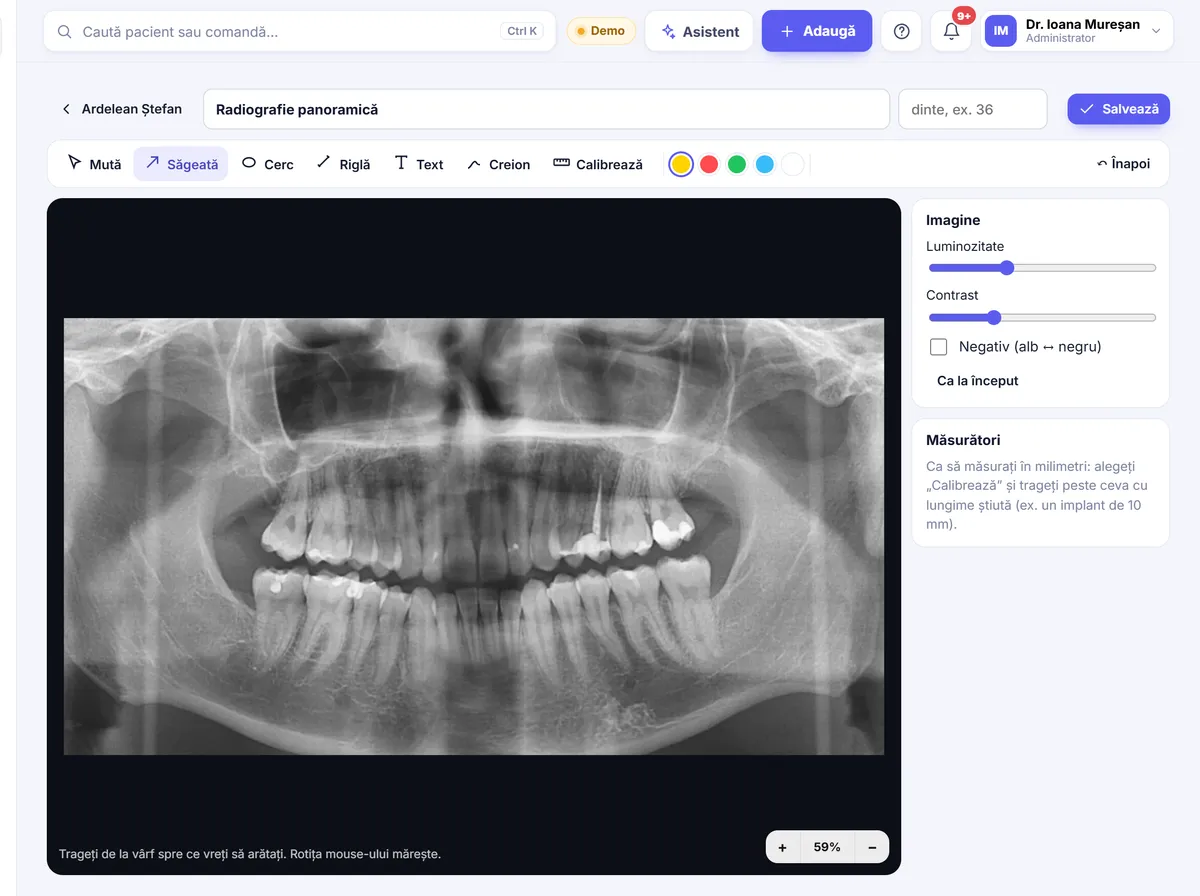
  • Full-size X-rays with annotations and measurements
  • Diagnoses per tooth
  • Treatments entered in the chart update the dental chart
2D and 3D dental chart
04 / 16

Treatment plans

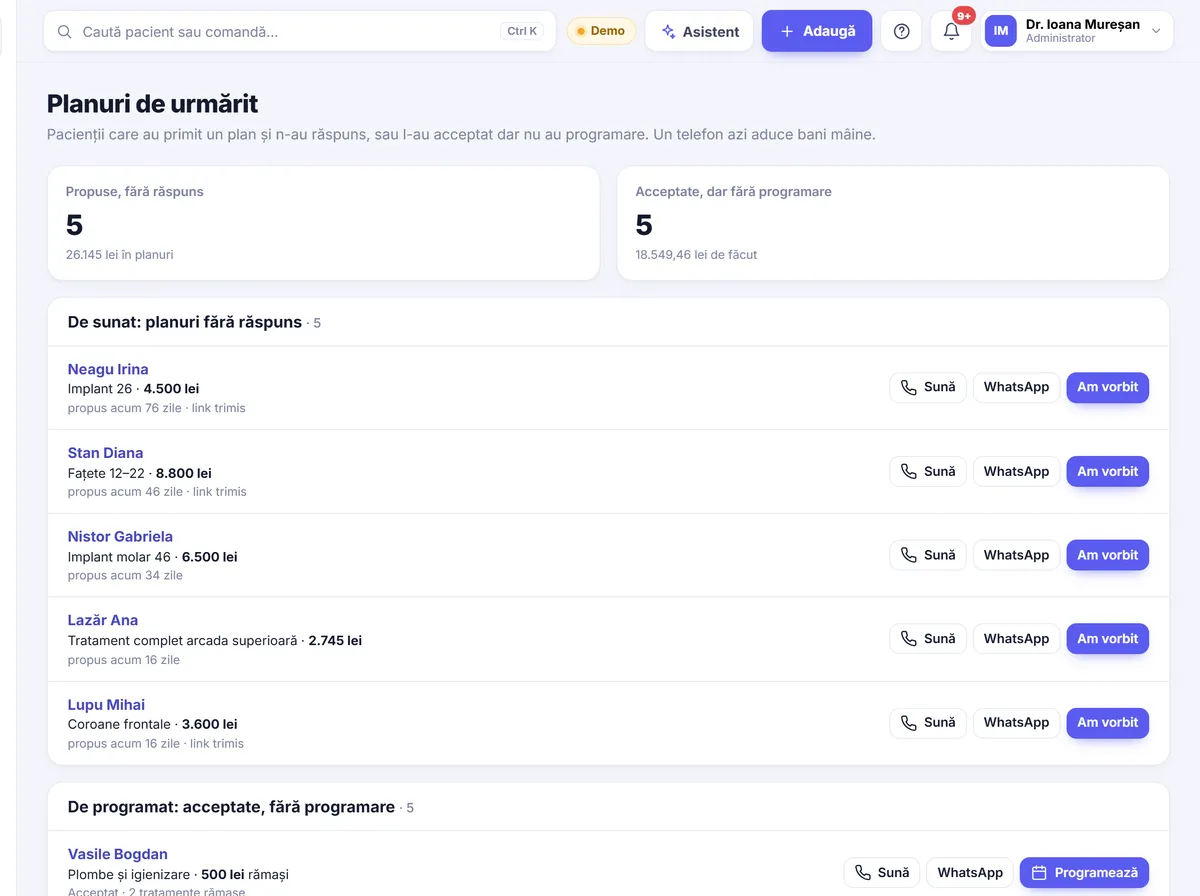
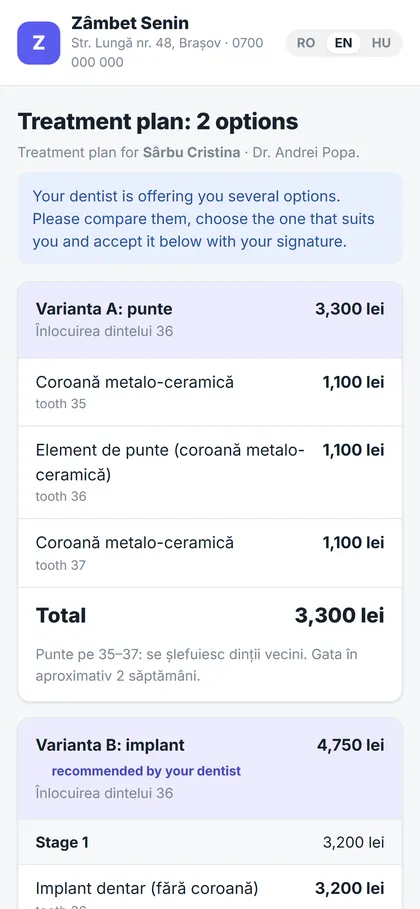
Plans are built in stages, with options, discounts, a negotiated price and instalments. The patient receives the plan on their phone, chooses an option and accepts it with a signature. Unanswered plans and accepted but unscheduled ones sit in a separate list.

  • Options A/B, with the dentist’s recommendation
  • Stages, discounts, prophylaxis
  • Printed estimate or a phone link, by QR code or WhatsApp
  • Acceptance with the patient’s signature
  • TBI Bank instalment request started from the plan
  • “Plans to follow up”: who to call today
Treatment plans
Treatment plans
05 / 16

Consent forms

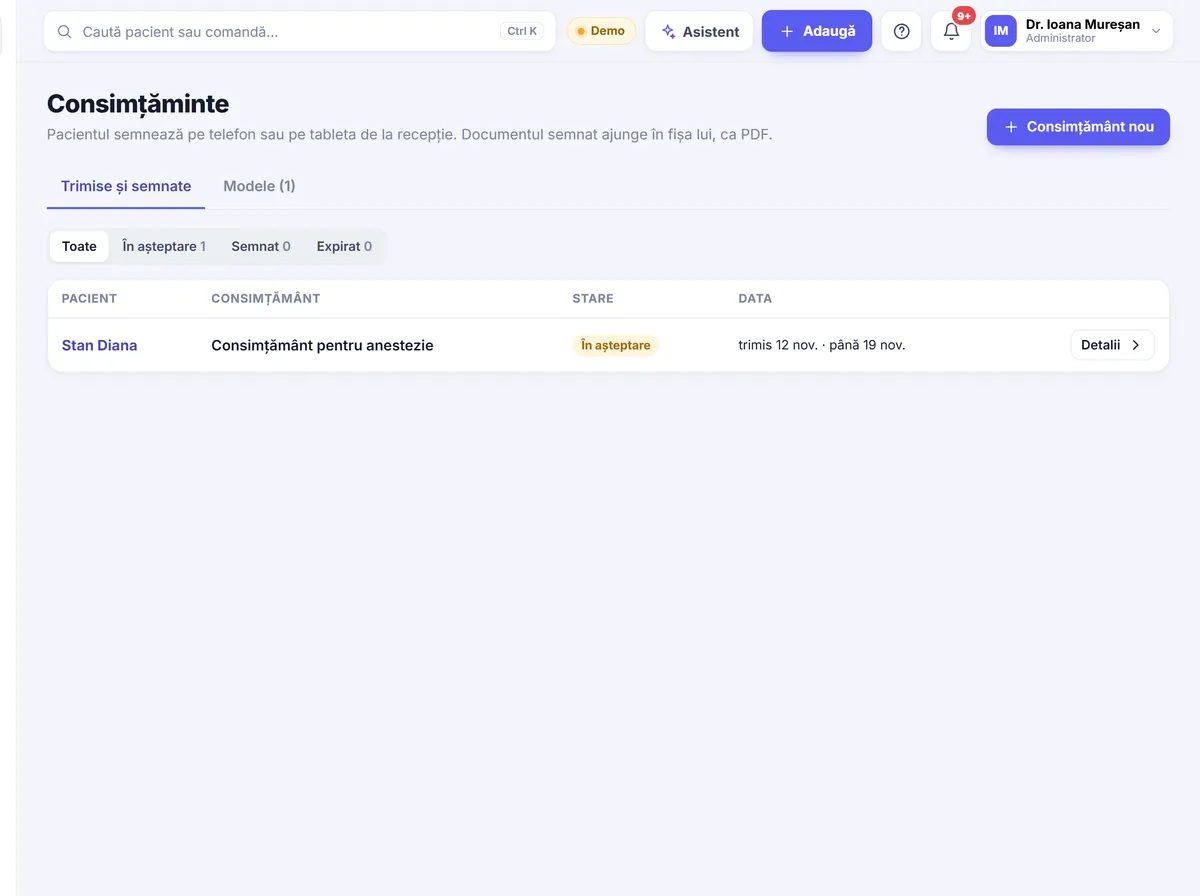
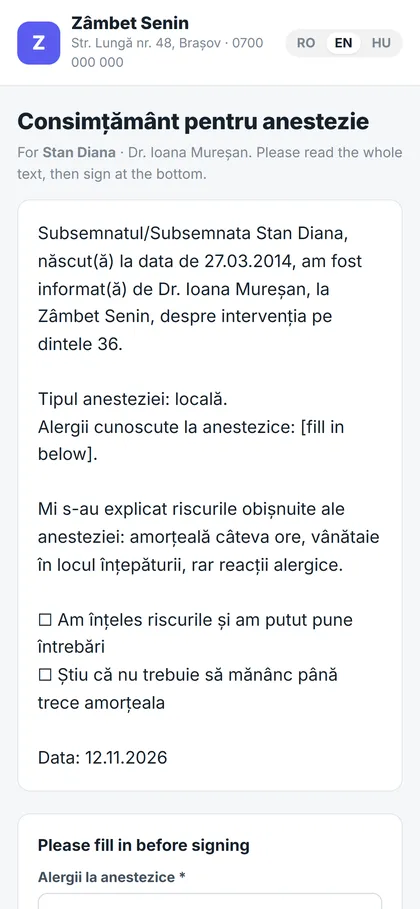
The consent form goes to the patient’s phone or to the reception tablet. The patient reads it, fills in the required fields and signs. The signed document is saved in the chart as a PDF.

  • Consent templates you can edit
  • Fields to fill in before signing
  • Signed PDF kept in the chart
  • Clear status: sent, signed, expired
Consent forms
Consent forms
06 / 16

Reception tablet

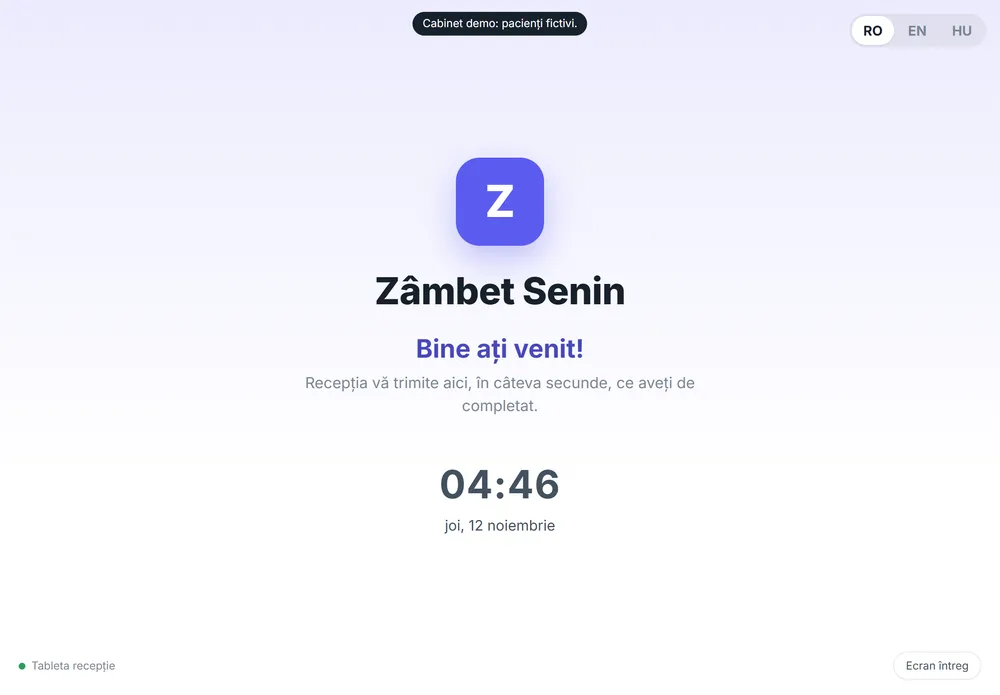
A tablet at reception becomes the clinic’s kiosk. New patients register themselves, and reception sends the chart form, questionnaire, consent form or plan to the tablet for signing.

  • Paired with the clinic using a 6-digit code
  • New patient registration without reception
  • Chart form, questionnaire, consent and plan sent from the computer
  • Patient rating on the way out
Reception tablet
07 / 16

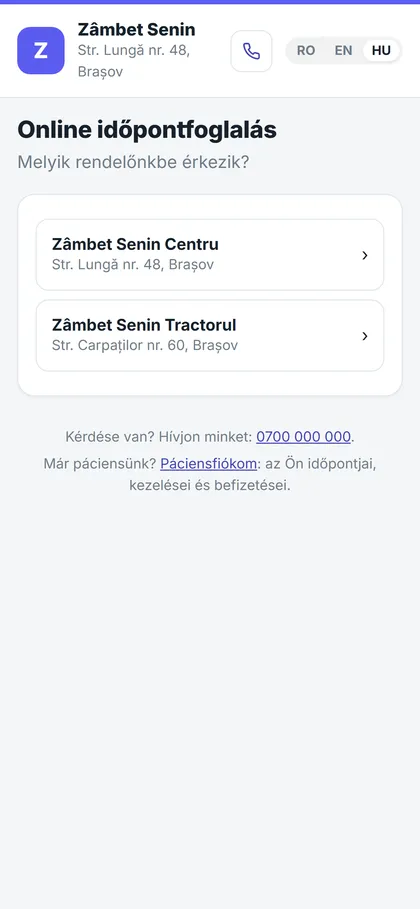
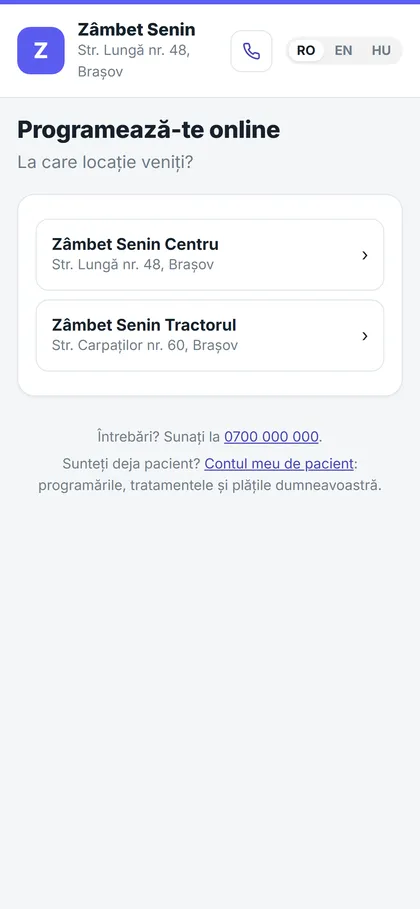
Online booking

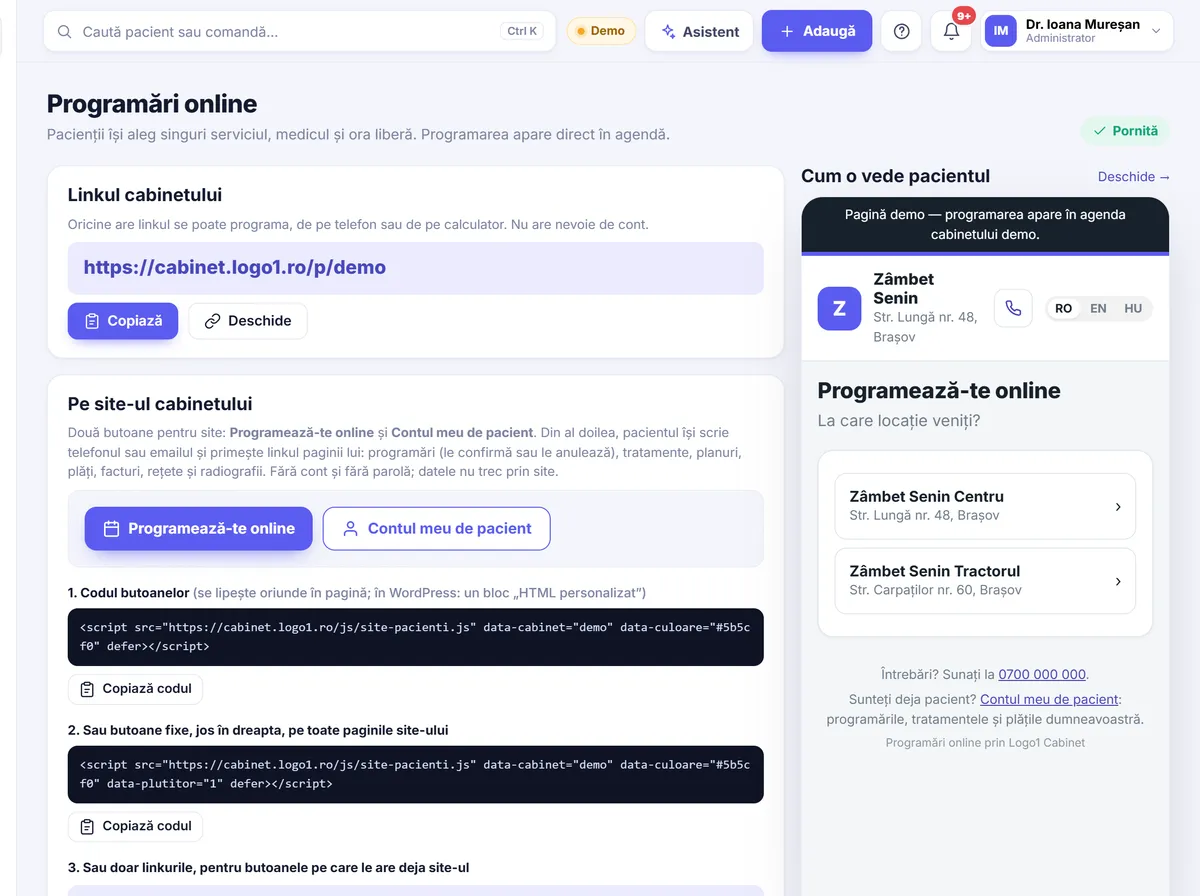
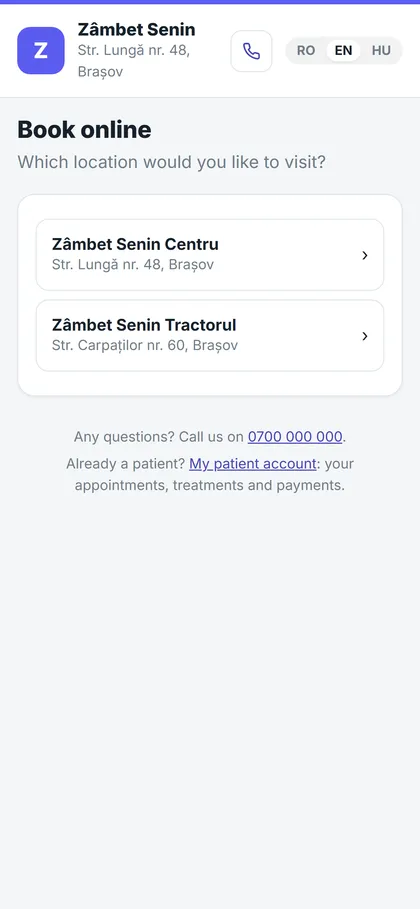
The clinic gets a booking page where patients choose the location, service, dentist and time. The request lands in the app and becomes an appointment in one click. Ready-made buttons are available for the clinic’s website.
  • Booking page for the website, Facebook and Google Maps
  • Buttons for any website, with one line of code to copy
  • Services and durations set by the clinic
  • Requests appear under “Booking requests”
Online booking
Online booking
08 / 16

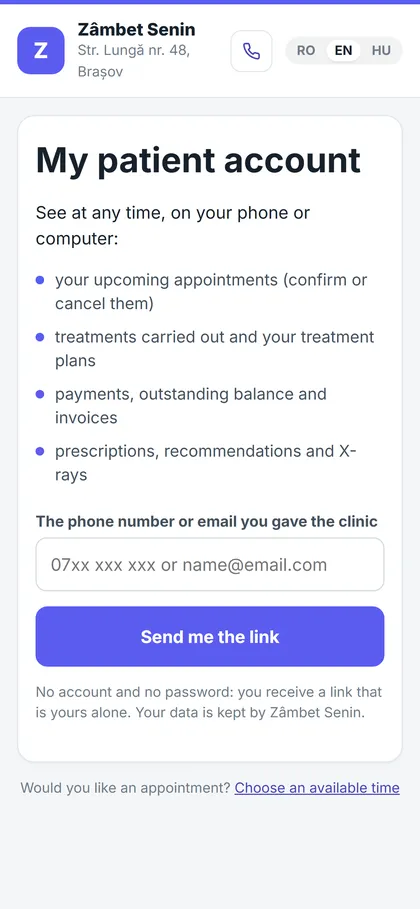
Patient account

Patients see their appointments, treatments, plans, payments, invoices, prescriptions and X-rays on their phone or computer. No password: they enter their phone number or email and receive a link that is theirs alone.

  • Confirm or cancel an appointment
  • Outstanding balance and invoices
  • Prescriptions, recommendations and X-rays
  • In Romanian, English or Hungarian
Patient account
09 / 16

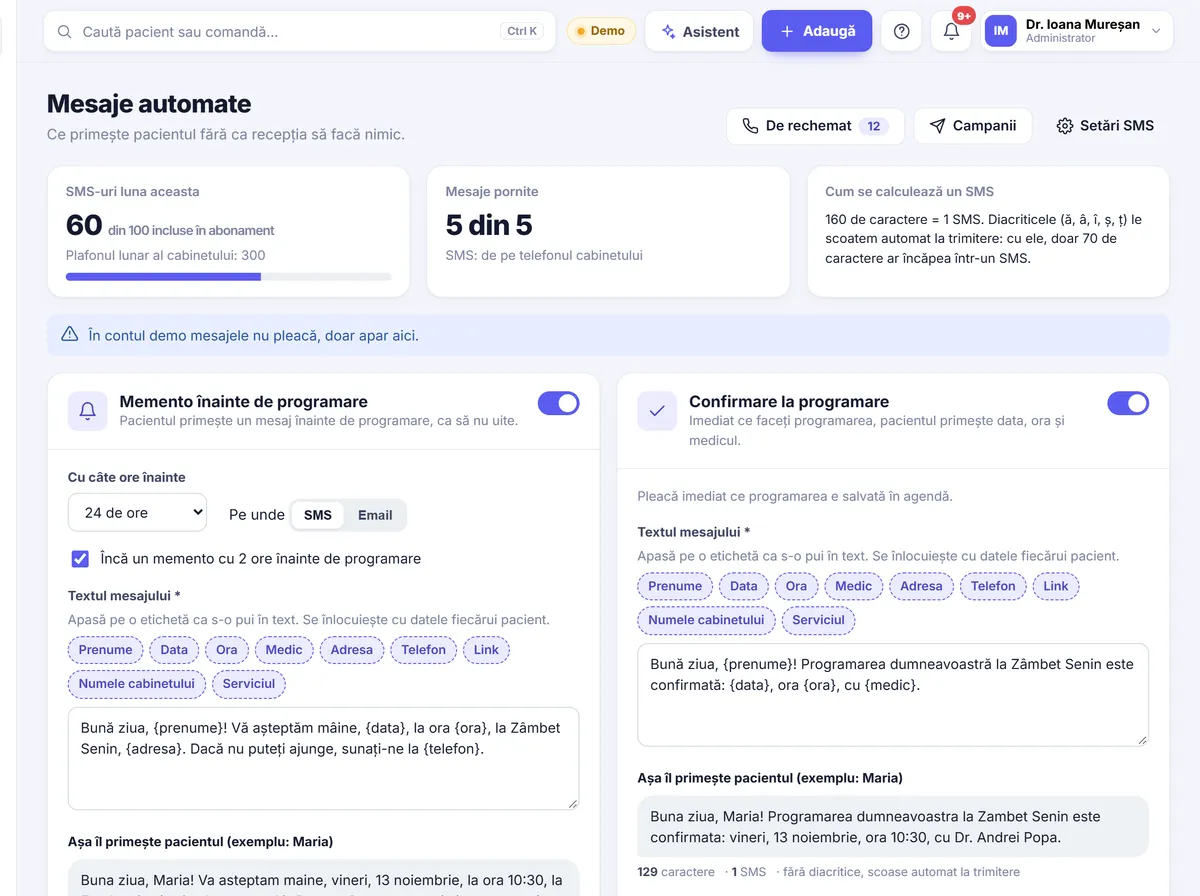
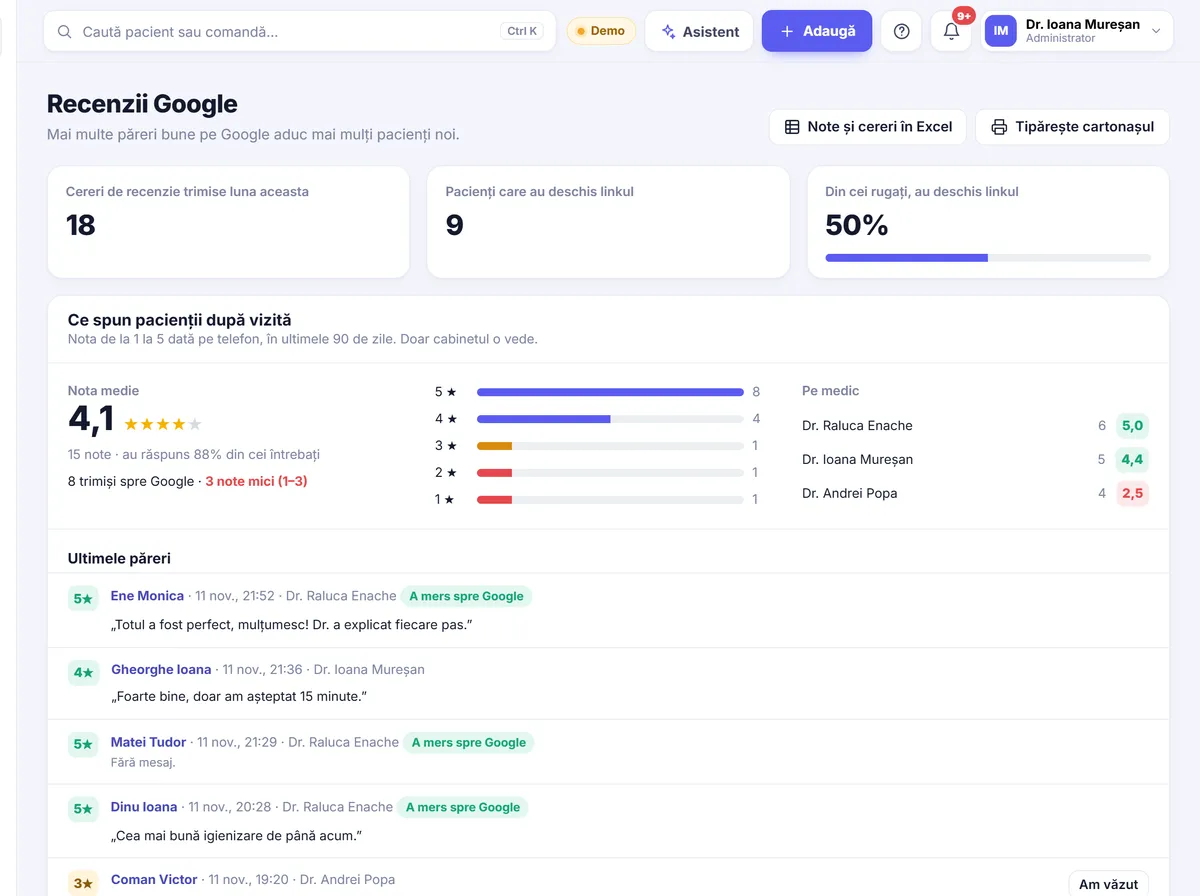
Messages, recalls, reviews

The app sends reminders before appointments, confirmations, recalls after each service and birthday greetings. SMS goes out through a provider or from the clinic’s own Android phone.

  • Reminders and confirmations by SMS or email
  • WhatsApp message prepared in one click
  • Recall per service (for example a check-up after 6 months)
  • SMS campaigns to a chosen list
  • 1–5 rating after the visit
  • Google review request and a QR code card
Messages, recalls, reviews
10 / 16

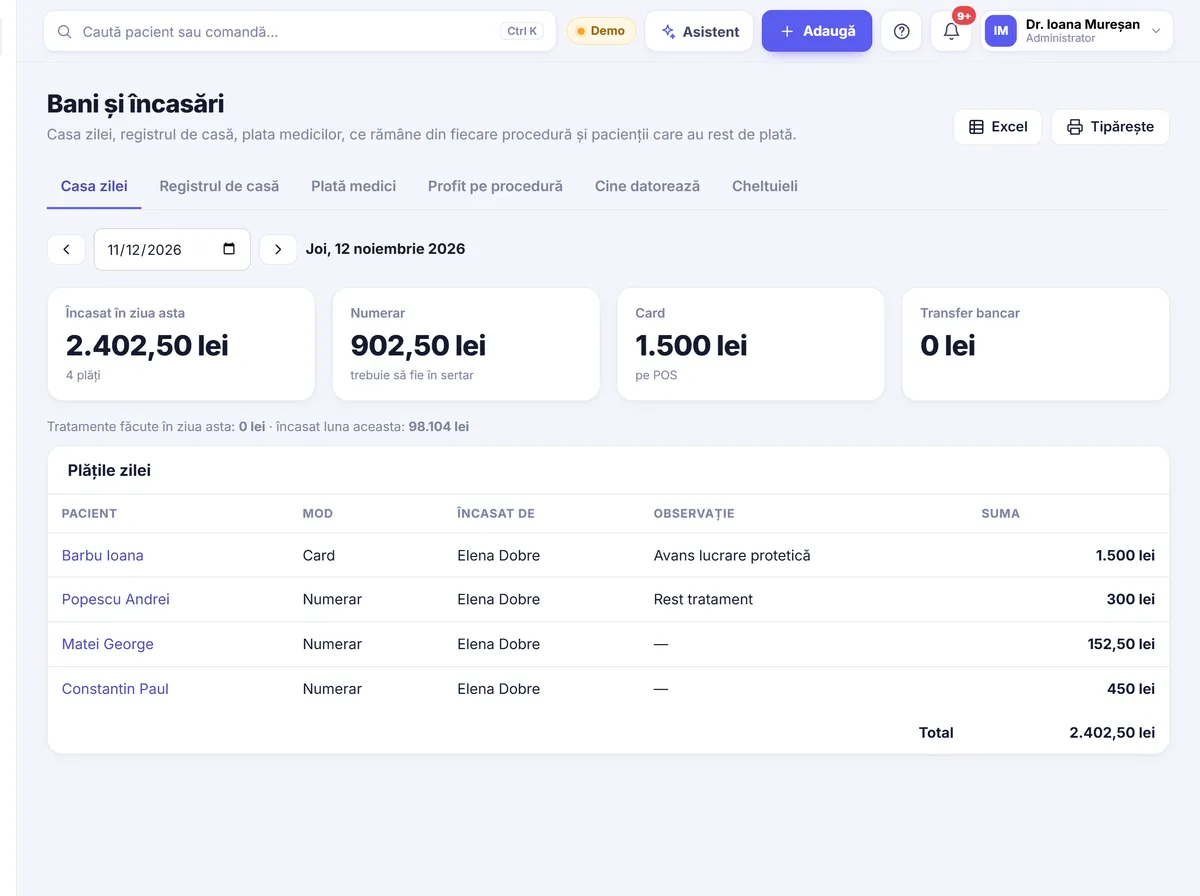
Payments

The daily cash view shows what was collected, by whom and how. Payments are split across treatments, deposits stay on the patient’s account, and the “Who owes” list shows where the money is.

  • Receipts, deposits and cash register
  • Fiscal receipt on the clinic’s cash register
  • Dentist commission: percentage, per treatment type or fixed amount
  • Profit per procedure and per chair hour
  • Expenses and amounts in euro at the National Bank rate
  • Instalments through TBI Bank
Payments
11 / 16

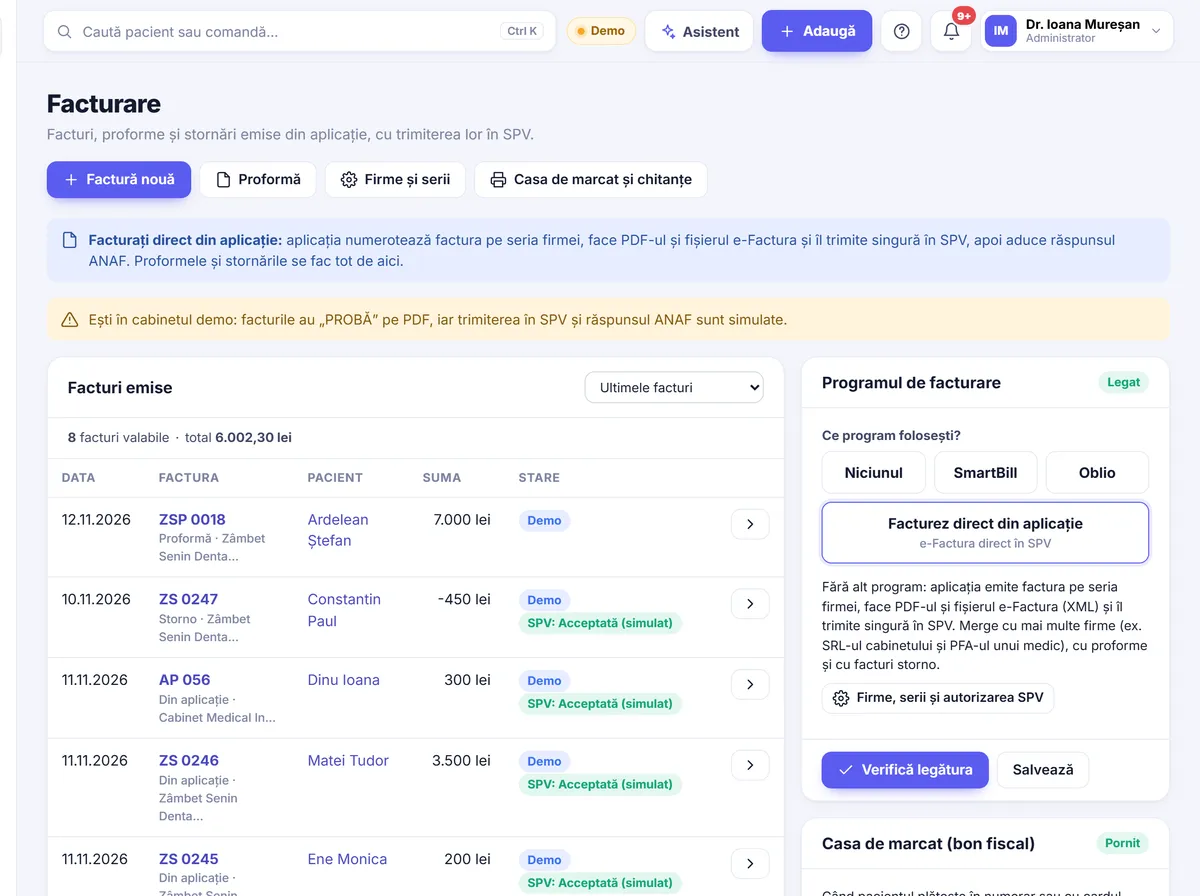
Invoicing

Invoices are issued straight from the app and sent to e-Factura, or through SmartBill or Oblio if you already use them. Patients find their invoices in their account.

  • Invoices, pro formas and credit notes
  • Several companies and invoice series
  • Invoices in lei or in euro
  • Submission to SPV (e-Factura)
Invoicing
12 / 16

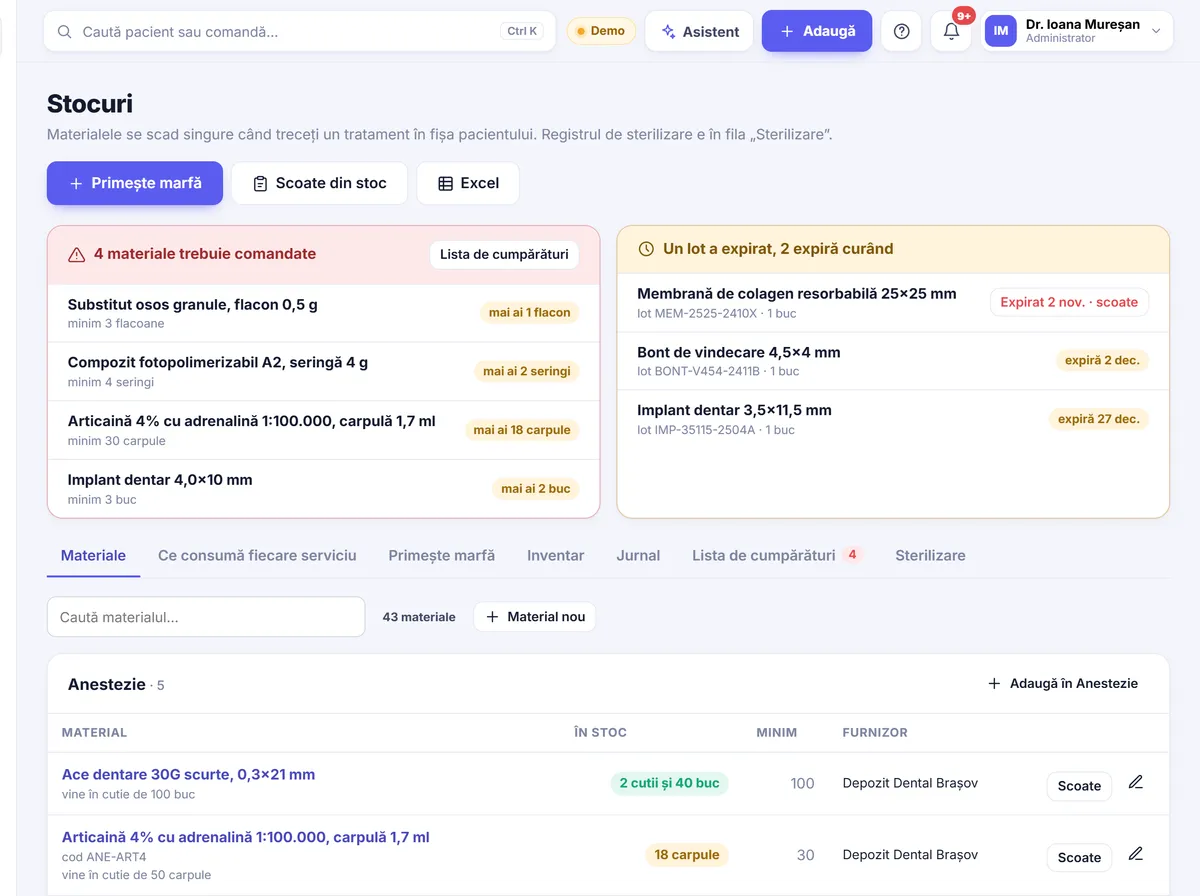
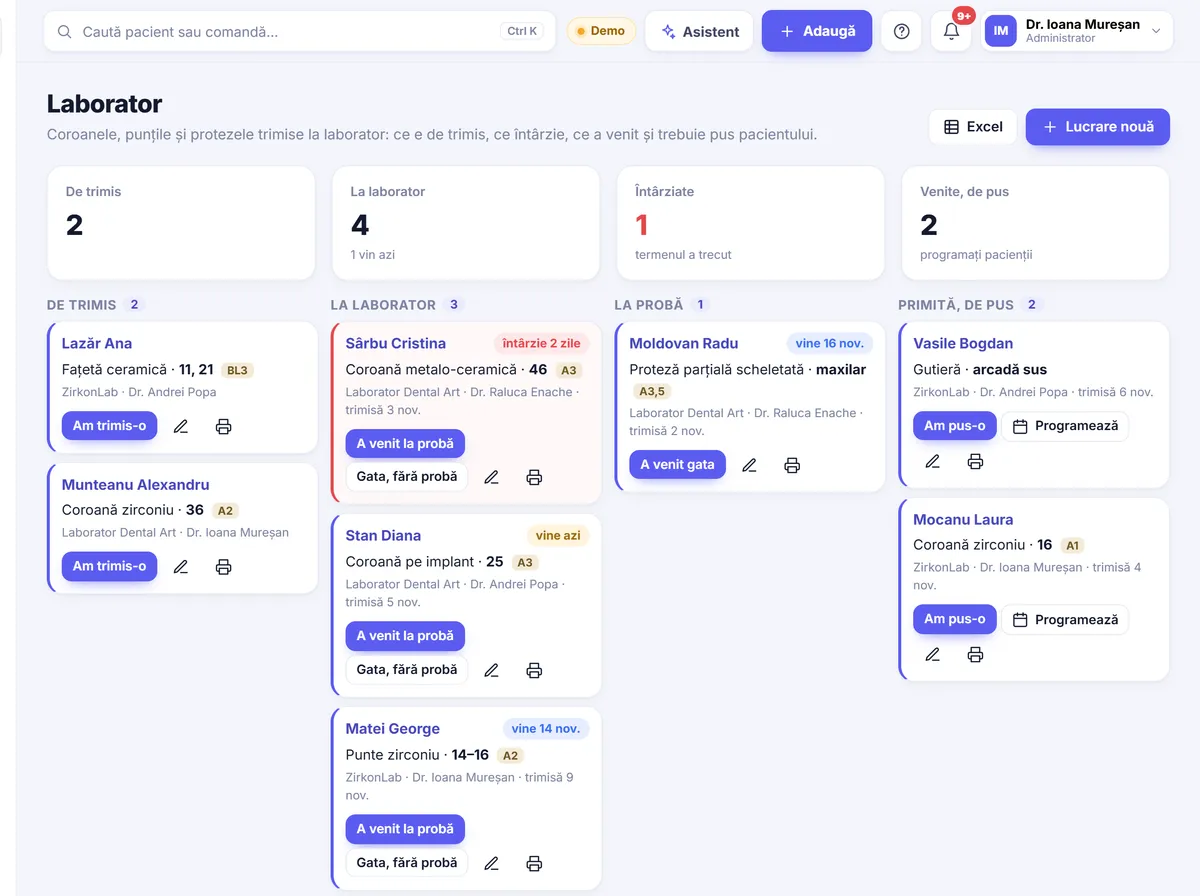
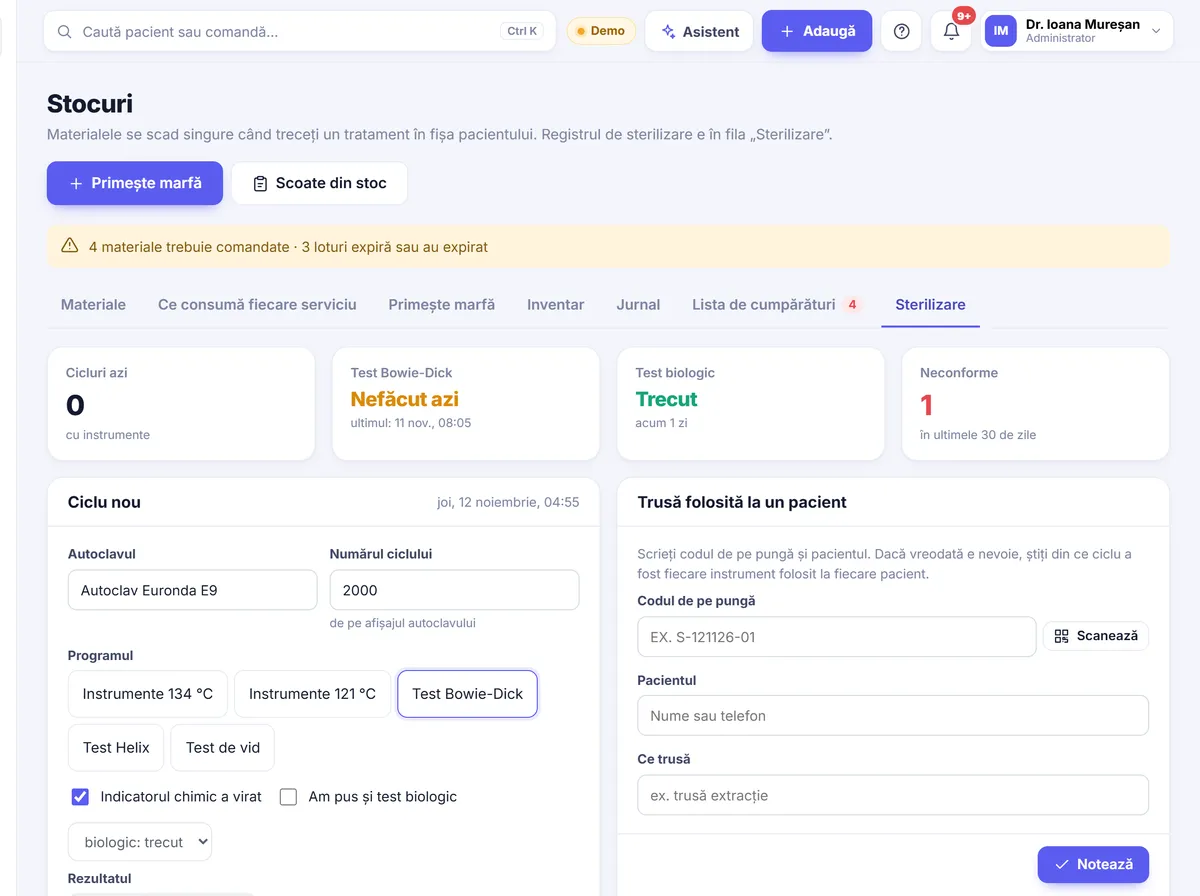
Inventory, lab, sterilisation

Materials are deducted automatically when a treatment is entered in the chart, by batch, starting with the one that expires first. Lab work has stages and due dates, and the sterilisation log tracks every cycle and the kit used on each patient.

  • Stock by batch, with expiry dates
  • Boxes and units, scanning with the camera
  • Shopping list
  • Lab: stages, due dates, delays, prices per lab
  • Sterilisation: cycles, Bowie-Dick tests, kit per patient
  • Blocks a kit past its expiry date
Inventory, lab, sterilisation
13 / 16

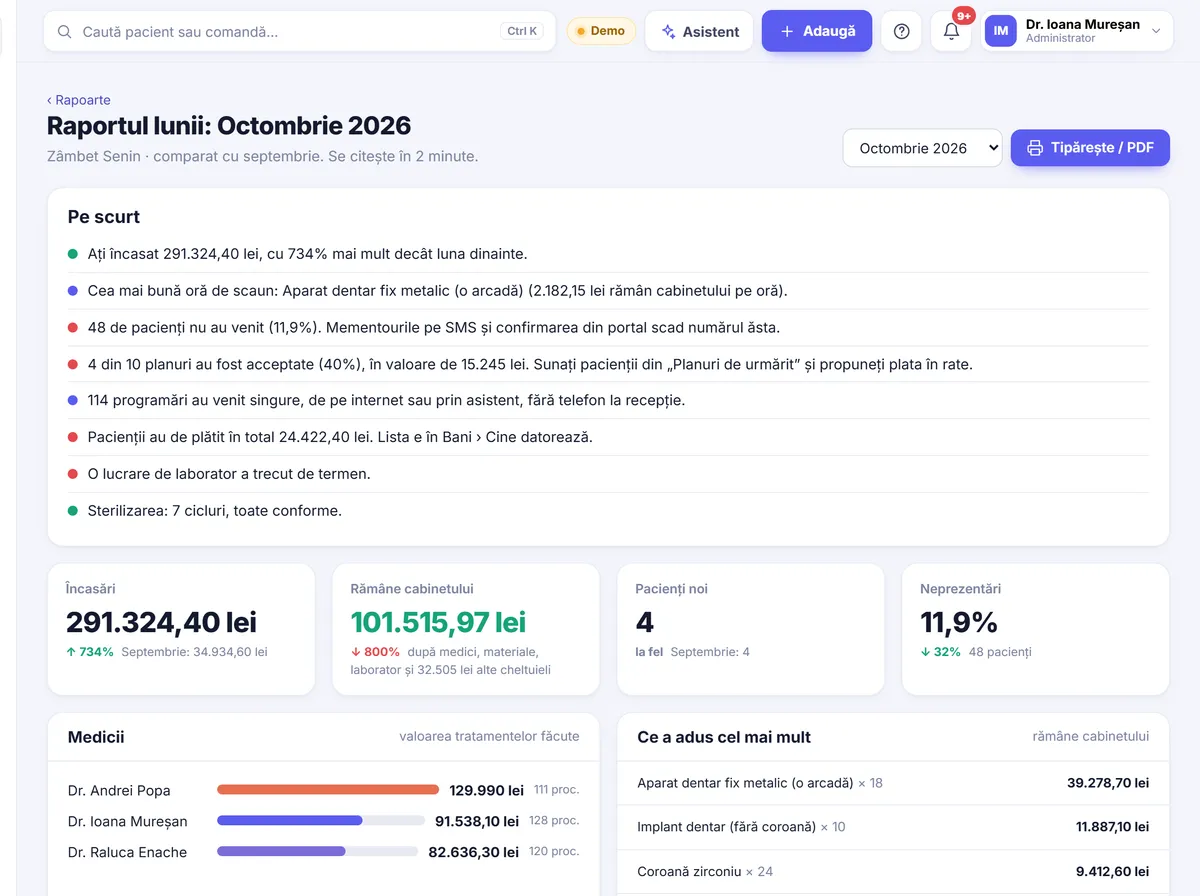
Reports and Excel

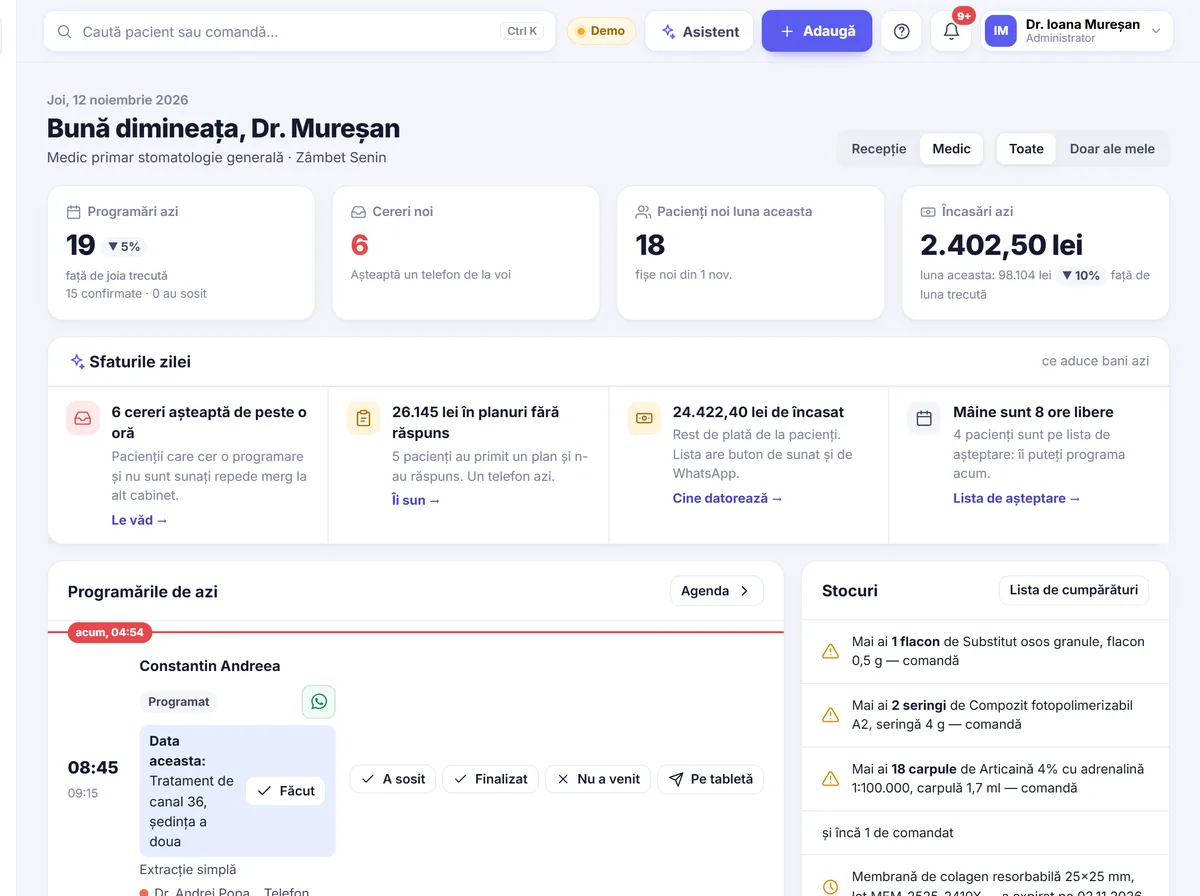
The “Today” screen shows the day’s appointments, new requests and today’s tips: unanswered plans, debts, free slots. The monthly report explains in sentences what happened. Every list downloads to Excel.

  • Monthly report, in sentences
  • Revenue by dentist and payment method
  • New patients and where they came from
  • Dentist and chair occupancy
  • Excel export
Reports and Excel
Reports and Excel
14 / 16

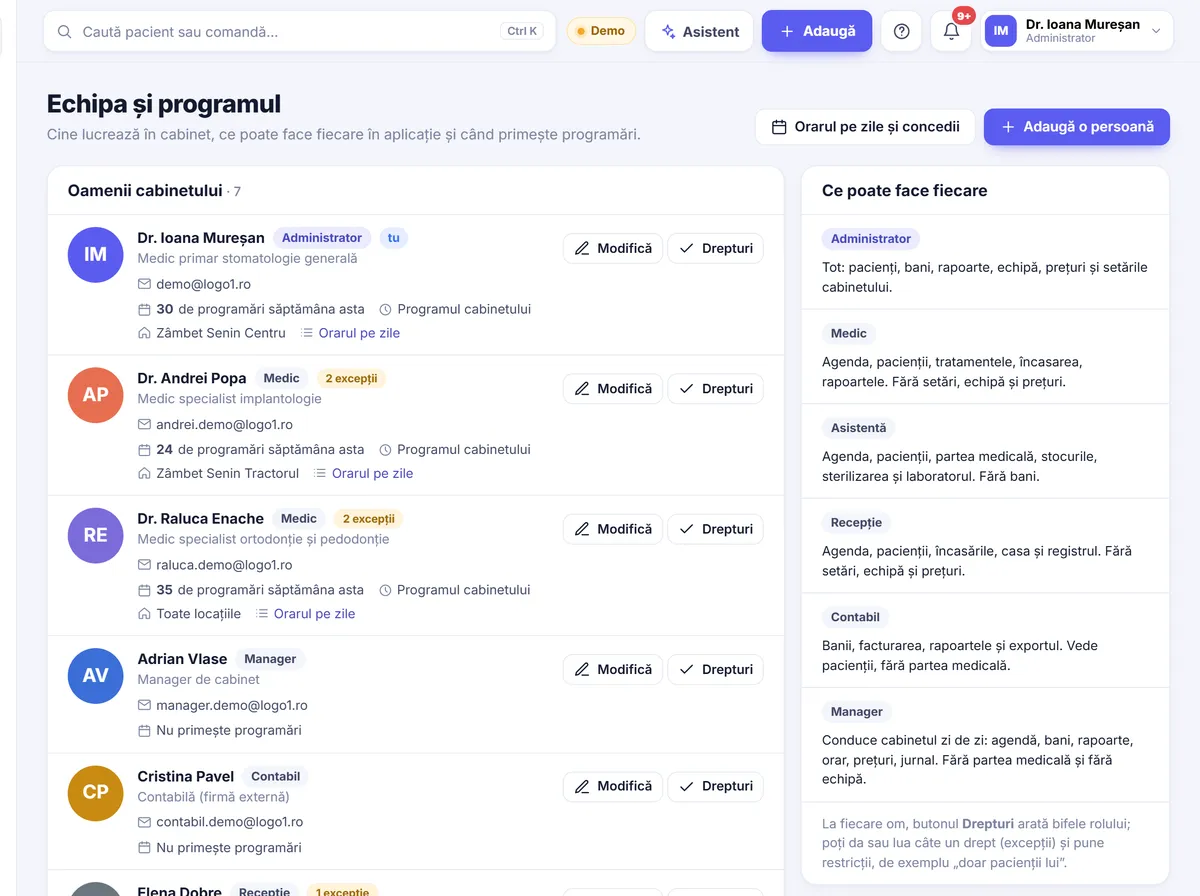
Roles and permissions

Everyone on the team sees only what they need. Roles come ready-made, and permissions can be adjusted per person. Every change is logged.

  • Administrator, dentist, assistant, reception, accountant, manager
  • Permissions adjusted per person
  • Audit log: who changed what, and when
  • Two-step sign-in with a code
  • Bin: deleted items can be restored for 30 days
Roles and permissions
15 / 16

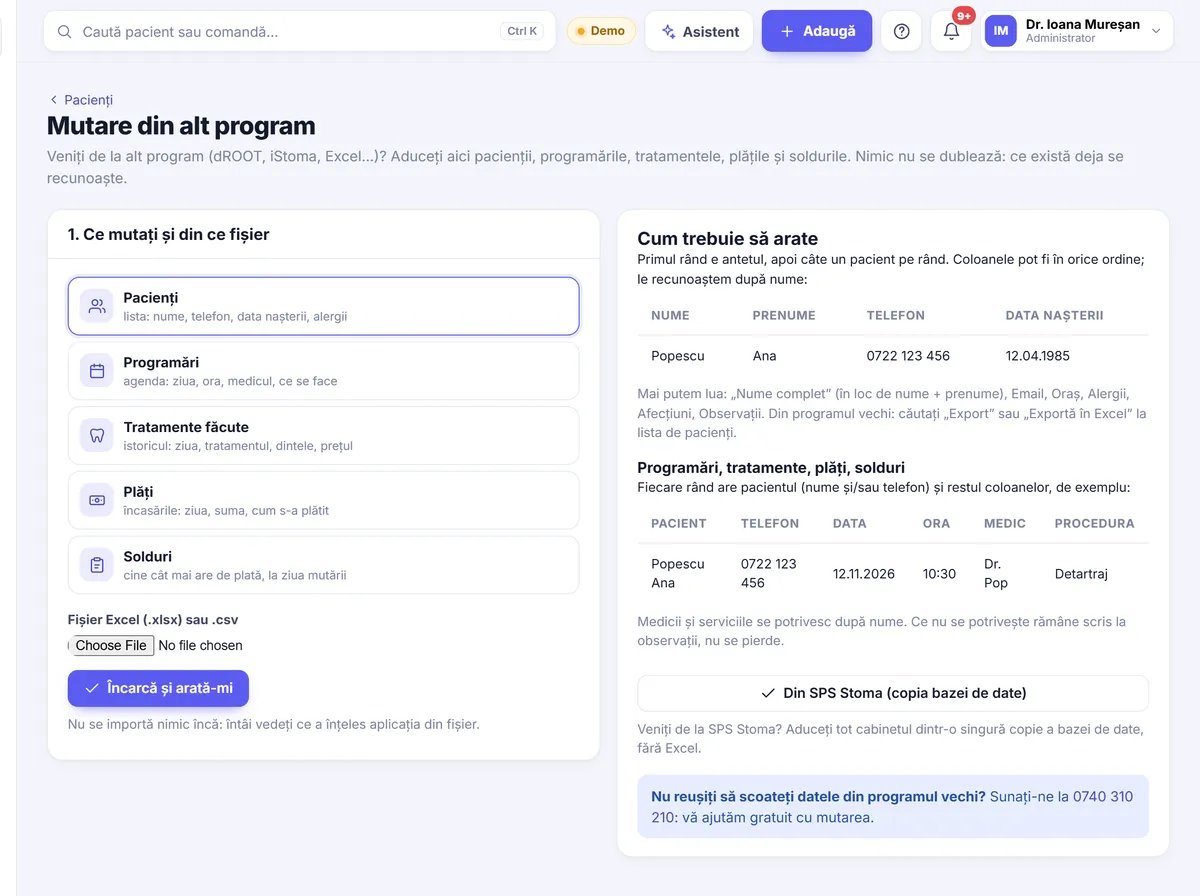
Switching from other programs

Patients, appointments, treatments, payments and balances come with you. We import your data for free, straight from your old program’s database copy or from Excel and CSV. Patients are not duplicated: the app checks the phone number.

  • Free import, done by us
  • Patients, appointments, treatments, payments, balances
  • From your old program’s database or from Excel
  • A test run before the real move
Switching from other programs
16 / 16

Languages for patients

Every page a patient sees opens in Romanian, English or Hungarian: online booking, the patient account, the treatment plan, the chart form and the consent form. The chosen language stays on the patient’s chart.

  • RO · EN · HU switch on every patient page
  • Language remembered on the chart
  • The team’s interface is in Romanian
Languages for patients
Română
Languages for patients
English
Languages for patients
Magyar

You take care of patients. Stomatik takes care of the clinic.

Start with 30 free days, no card needed. We move your data from your old program for free.